








Online Audio Reverser Tool
Reverse audio online. Open a file, trim the range if needed, turn on reverse export, and save the backward version directly in your browser.
音声逆再生ワークスペース
音声加工音声ファイルをここにドラッグまたは 参照
サーバーへのアップロード不要、ブラウザ上で安全に直接処理
Why Use It
Why This Audio Reverser Workflow Fits Quick Backward Exports
A focused browser workflow for people who want reverse audio without moving into a heavier desktop editor.
Reverse Export in the Same Editor
Upload one file, keep the full range or trim a section, then turn on reverse export from the same workspace.
Keep Trim and Format Controls Together
Select the exact range you want, choose the output format, and export the backward version in one pass.
Useful for Effects and Sound Design
A practical fit for transition sounds, reverse cues, stylized intros, and quick creative edits.
Create reverse transition sounds
Export a reversed section for risers, swells, and other transition effects.
Flip a short clip quickly
Take one selected phrase or audio hit and save a backward version without a full DAW workflow.
Reuse the same trim workflow
Keep the familiar editor, but use the reverse export toggle when the final file needs to play backward.
Three-step workflow
How to Reverse Audio Online
Export backward audio in three simple steps.
Step 1
Upload Audio
Choose an audio file such as MP3, WAV, M4A, AAC, FLAC, OGG, or WMA.
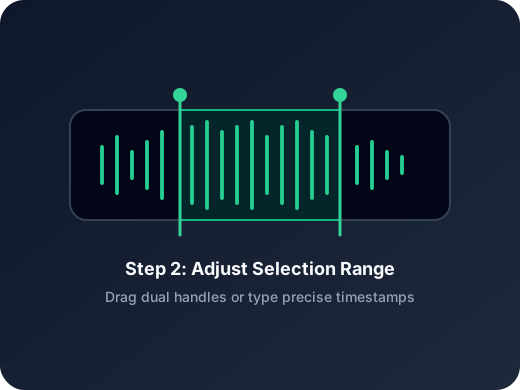
Step 2
Open Reverse Export
Adjust the range if needed, then turn on the reverse export control in the editor.
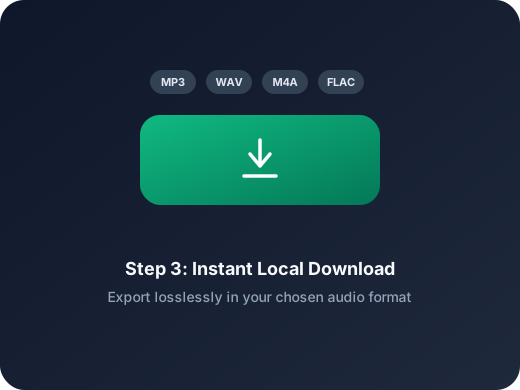
Step 3
Save the Backward Version
Export the reversed audio directly from the browser in the format you want.
その他のツール
次の音声作業に進む
抽出、結合、追加トリミングなど、目的に合ったツールをすぐ開けます。
MP3 カッター
MP3 ファイルの開始点と終了点をすばやく調整。音楽クリップや着信音作成に向いています。
音声抽出
動画から音声だけを抜き出したい時に便利。授業動画、インタビュー、短尺素材にも使えます。
音声圧縮
MP3、WAV、M4A、AAC、FLAC、OGG などの音声を、品質プリセット付きでより軽い形式に圧縮できます。
音声速度変更
音声をオンラインで速くしたり遅くしたりして、タイミングを確認しながら新しい版を書き出せます。
音声フェードイン・フェードアウト
音声にフェードインとフェードアウトを加え、急な入りや終わり、クリップのつなぎを自然に整えてから書き出せます。
音声コンバーター
動画から音声を抽出したり、音声形式を変換したりする作業を 1 つの流れで行えます。
音声結合
複数の音声を順番に連結し、1 つのファイルとして書き出せます。
User Feedback
Why Users Open This Audio Reverser
A lightweight workflow for people who mainly need reverse output without extra production setup.
4.9/5
Creators, editors, teachers, and sound designers use it for quick reverse exports before delivery.
Fast setup
Open one file, enable reverse export, and save without extra steps.
Simple range control
Useful when only one selected section needs to be exported backward.
Mia Carter
Podcast ProducerHelpful when I need a short reversed cue for transitions and do not want to open a heavier editor.
Lucas Kim
Music TeacherI can flip a short example backward for lessons in just a couple of minutes.
Nina Patel
Content EditorThe reverse export toggle is straightforward. I trim the range, switch it on, and save.
Ethan Brooks
FreelancerUseful for quick sound design tasks when a client wants a reversed sting or intro.
Ready to Reverse Audio?
Upload a file, enable reverse export in the editor, and save the backward version right in your browser.
Trim the exact range first if you only need one section to be exported backward.
Support
Audio Reverser FAQ
Common questions about exporting reversed audio online.
What these answers cover
These answers explain how reverse export works, what files are supported, and how to save the backward result.
What does audio reverse do?
It exports the selected audio so the final file plays backward from end to start.
Can I reverse only part of the file?
Yes. You can trim the range in the editor first, then export only that selected section in reverse.
Does reverse change playback in the editor?
No. In this workflow, reverse only affects the exported file and does not change the live preview direction.
Which files can I open here?
You can upload common audio files such as MP3, WAV, M4A, AAC, FLAC, OGG, and WMA.
Do I need to install software?
No. The reverse export workflow runs directly in your browser.
Can I use this on mobile?
Yes. The page and editor are designed to work on modern desktop and mobile browsers.