








Online Audio Reverser Tool
Reverse audio online. Open a file, trim the range if needed, turn on reverse export, and save the backward version directly in your browser.
Pembalikan Audio Ruang Kerja
Pemrosesan AudioSeret berkas audio ke sini atau telusuri
Mendukung semua format audio utama langsung di browser Anda
Why Use It
Why This Audio Reverser Workflow Fits Quick Backward Exports
A focused browser workflow for people who want reverse audio without moving into a heavier desktop editor.
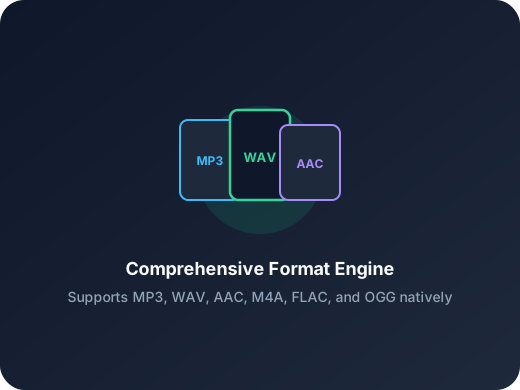
Reverse Export in the Same Editor
Upload one file, keep the full range or trim a section, then turn on reverse export from the same workspace.
Keep Trim and Format Controls Together
Select the exact range you want, choose the output format, and export the backward version in one pass.
Useful for Effects and Sound Design
A practical fit for transition sounds, reverse cues, stylized intros, and quick creative edits.
Create reverse transition sounds
Export a reversed section for risers, swells, and other transition effects.
Flip a short clip quickly
Take one selected phrase or audio hit and save a backward version without a full DAW workflow.
Reuse the same trim workflow
Keep the familiar editor, but use the reverse export toggle when the final file needs to play backward.
Three-step workflow
How to Reverse Audio Online
Export backward audio in three simple steps.
Step 1
Upload Audio
Choose an audio file such as MP3, WAV, M4A, AAC, FLAC, OGG, or WMA.
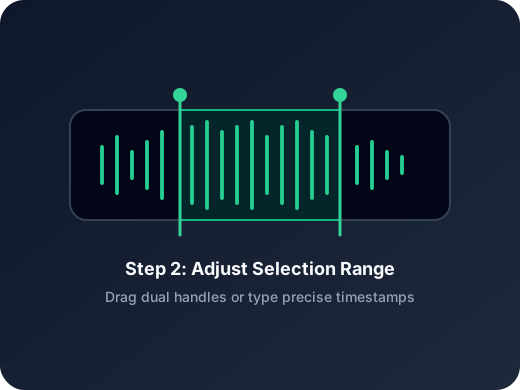
Step 2
Open Reverse Export
Adjust the range if needed, then turn on the reverse export control in the editor.
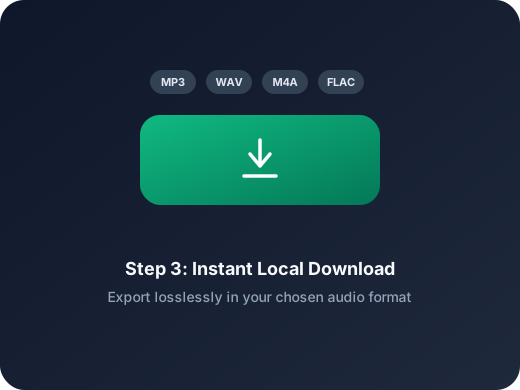
Step 3
Save the Backward Version
Export the reversed audio directly from the browser in the format you want.
Fitur Lainnya
Selesaikan Project Audio Anda Sekarang
Ekstrak, gabungkan, atau terus pangkas dengan alat yang tepat.
Pemotong MP3
secara instan dengan penentuan titik masuk dan keluar yang presisi. Cocok untuk membuat ringtone, lagu, dan edit audio ringan.
Extract Audio
jernih dari file video untuk materi pelajaran, wawancara, atau konten media sosial Anda.
Kompres Audio
Kompres MP3, WAV, M4A, dan lainnya menjadi ukuran file yang lebih kecil tanpa merusak kualitas suara asli.
Ubah Kecepatan Audio
Percepat atau perlambat tempo audio secara online. Pratinjau hasilnya secara instan dan ekspor langsung dari browser Anda.
Fade in dan fade out audio
Tambahkan fade in dan fade out untuk menghaluskan awal, akhir, dan perpindahan klip yang terasa mendadak sebelum ekspor.
Converter audio
Ubah format audio atau konversi video ke audio dengan cepat. Mendukung berbagai format populer dalam satu alur kerja yang simpel.
Gabung Audio online
Gabung lagu dan beberapa trek MP3 menjadi satu file secara instan. Solusi gabung audio online yang cepat untuk menyatukan musik, rekaman suara, atau podcast tanpa install aplikasi.
User Feedback
Why Users Open This Audio Reverser
A lightweight workflow for people who mainly need reverse output without extra production setup.
4.9/5
Creators, editors, teachers, and sound designers use it for quick reverse exports before delivery.
Fast setup
Open one file, enable reverse export, and save without extra steps.
Simple range control
Useful when only one selected section needs to be exported backward.
Mia Carter
Podcast ProducerHelpful when I need a short reversed cue for transitions and do not want to open a heavier editor.
Lucas Kim
Music TeacherI can flip a short example backward for lessons in just a couple of minutes.
Nina Patel
Content EditorThe reverse export toggle is straightforward. I trim the range, switch it on, and save.
Ethan Brooks
FreelancerUseful for quick sound design tasks when a client wants a reversed sting or intro.
Ready to Reverse Audio?
Upload a file, enable reverse export in the editor, and save the backward version right in your browser.
Trim the exact range first if you only need one section to be exported backward.
Support
Audio Reverser FAQ
Common questions about exporting reversed audio online.
What these answers cover
These answers explain how reverse export works, what files are supported, and how to save the backward result.
What does audio reverse do?
It exports the selected audio so the final file plays backward from end to start.
Can I reverse only part of the file?
Yes. You can trim the range in the editor first, then export only that selected section in reverse.
Does reverse change playback in the editor?
No. In this workflow, reverse only affects the exported file and does not change the live preview direction.
Which files can I open here?
You can upload common audio files such as MP3, WAV, M4A, AAC, FLAC, OGG, and WMA.
Do I need to install software?
No. The reverse export workflow runs directly in your browser.
Can I use this on mobile?
Yes. The page and editor are designed to work on modern desktop and mobile browsers.