








Free Online Audio Recorder
Record audio from your microphone directly in your browser. Fast, free, and secure online voice recorder with high-quality export and no software installation required.
Audio Recorder Workspace
RecordingRecord voice or instruments directly with high fidelity.
or Or browse existing file
Why teams choose it
Professional Online Audio Recorder Features
Our online recorder is designed for clarity, speed, and privacy.
One-Click Recording
Start recording instantly with a single click. No complex setups or configurations required, making it perfect for capturing spontaneous ideas.
High-Fidelity Audio
Record in clear, high-quality audio formats. Our tool ensures your voice sounds professional and crisp, suitable for any project.
Privacy-First Processing
Your recordings are processed locally in your browser and are never uploaded to our servers unless you choose to save them. Your privacy is our priority.
Fast content cleanup
Remove pauses, bad takes, and empty intros before publishing a podcast, lesson, or voice memo.
Ready for ringtone workflows
Cut the exact chorus or hook you want, then export in the format that fits your phone.
Simple enough for one-off tasks
No editor learning curve. Open a file, set in and out points, export, and move on.
Three-step workflow
How to Record Audio with Our Online Recorder in 3 Steps
Get professional results without any technical expertise.
Step 1
Grant Microphone Access
Click the 'Record' button and allow the browser to access your microphone. We use secure protocols to ensure your connection is safe.
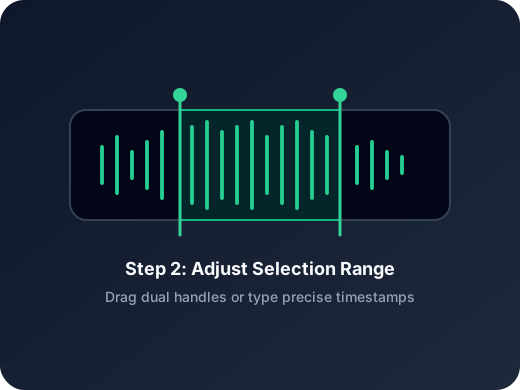
Step 2
Capture Your Audio
Speak or play sound into your microphone. Monitor the levels in real-time and use the 'Stop' button when you're finished.
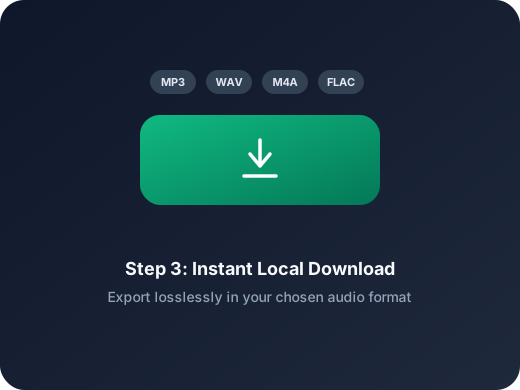
Step 3
Review and Save
Listen to your recording immediately. If you're happy with it, export it in your preferred format or edit it further using our built-in tools.
More Tools
Continue with the next audio task
Extract, merge, or keep trimming with the right tool.
Audio Cutter
Trim common audio formats online for ringtones, voice cleanup, and quick music excerpt workflows.
MP3 Cutter
Trim MP3 files with fast in and out point selection for music clips, ringtones, and lightweight edits.
WAV Cutter
Cut lossless WAV files quickly for recordings, interviews, and higher-fidelity source material.
AAC Cutter
Edit AAC audio more directly for mobile recordings, compressed assets, and quick delivery cleanup.
Crop Music
Focused on song and soundtrack edits such as chorus cuts, hook extraction, and short-form music snippets.
Extract Audio
Pull clean audio from video files for lessons, interviews, recordings, and content repurposing.
Audio Converter
Convert video to audio or switch audio formats quickly with one shared export workflow.
Audio Merge
Join multiple audio tracks into one ordered file for chapters, spoken sections, and batch cleanup workflows.
User feedback
What Users Are Saying About Our Audio Recorder
Join thousands of satisfied creators, students, and professionals.
4.9/5
Editors, creators, students, and podcasters consistently rate the workflow as fast and clear.
Zero setup
No account wall, no software install, no learning curve.
Quick export
Upload, trim, preview, and save in one short workflow.
James Wilson
Freelance JournalistI use this tool for all my remote interviews. The audio quality is fantastic and I love that I don't have to install anything on my laptop.
Sarah Miller
Content CreatorBest online voice recorder I've found. It's so fast and the interface is clean. Perfect for recording quick voiceovers for my videos.
Robert Chen
Music StudentI use it to record my practice sessions. The real-time playback is great for reviewing my performance instantly.
Elena Rossi
PodcasterSimple, efficient, and reliable. It's become my go-to tool for capturing guest segments when I'm on the move.
Start Your High-Quality Audio Recording Now
High-quality recording is just one click away. Free to use, no account required.
Allow microphone access, record in your browser, then save the clip or continue editing right away.
Support
Audio Recorder Frequently Asked Questions
Everything you need to know about our online audio recorder.
Common concerns covered
Pricing, supported formats, safety, mobile compatibility, and export behavior are all addressed here.
Is the online audio recorder free?
Yes, our audio recorder is completely free to use. You can record as many clips as you need without any subscription or hidden fees.
What audio formats are supported for export?
You can export your recordings in standard high-quality formats like MP3 and WAV, ensuring compatibility with most playback devices and editing software.
Is my voice data private?
Absolutely. All processing happens locally in your browser. We do not store your recordings on our servers, ensuring your data remains private and secure.
Does it work on mobile devices?
Yes, our recorder is fully responsive and works seamlessly on both iOS and Android browsers. Simply grant microphone access and start recording.
Is there a limit to the recording length?
There are no hard limits on recording length, but please keep in mind that longer recordings will use more of your device's memory.
Do I need to install any software or plugins?
No. Our tool is entirely web-based and runs directly in your browser using modern web technologies. No downloads are necessary.