








Free BPM Finder & Song Key Detector Online
Use this free BPM finder and BPM key finder to analyze song tempo, musical key, and Camelot code in your browser, with waveform preview and CSV export.
BPM & Key Finder Workspace
Music AnalysisDrop an audio file here or browse
Supports all major audio and video formats without server upload
WHY AUDIOCUTTER.ME
Why Choose AudioCutter.me as Your Online BPM Finder?
Analyze multiple tracks, keep processing in your browser, and review BPM, key, and Camelot results in one focused workspace.
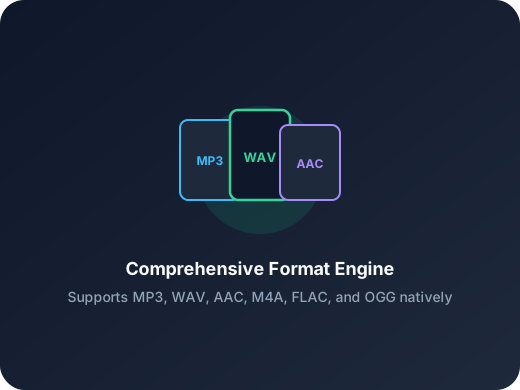
Batch Audio Analysis
Add several files and review each track in a separate result card. The BPM finder processes the queue one track at a time.

Browser-Based BPM Detector
The BPM finder decodes and analyzes audio on your device, so original files are not uploaded for BPM or key detection.

BPM, Key & Camelot
Review BPM, key, and Camelot code in one card, then export completed results to CSV.
Plan DJ Sets
Compare tempo, key, and Camelot codes before arranging a mix.
Sort Music Libraries
Use the BPM finder to analyze batches and export CSV results.
Check Practice Material
Use the BPM finder with waveform playback or Tap Tempo.
HOW IT WORKS
How to Use the BPM Finder Online
The BPM finder lets you choose one song or a batch, analyze each track in the browser, then review and use the results. No account, software installation, or server upload is required for the analysis workflow.
Step 1
Add Your Audio Files
Click Choose audio files or drag supported tracks onto the page. The BPM finder accepts multiple MP3, WAV, M4A, AAC, FLAC, OGG, Opus, and WebM files.
Step 2
Review BPM, Key, and Camelot
Analysis starts automatically and runs one track at a time. When a card is complete, read its estimated BPM, musical key, major or minor scale, and Camelot code.
Step 3
Preview, Check, and Export
The BPM finder lets you play a track and seek on its waveform to check the estimate by ear. Use Tap Tempo for a manual comparison, then export completed file names, BPM values, keys, and Camelot codes to CSV.
More Tools
Continue with the next audio task
Extract, merge, or keep trimming with the right tool.
Audio Speed Changer
Speed up or slow down audio online, preview the timing, and export the new version from one editor.
Audio Trimmer
Trim MP3, WAV, AAC, M4A, FLAC, and other audio files with a visual waveform editor in your browser.
Audio Splitter
Split songs into stems such as vocals, drums, bass, and other parts, then continue editing the separated tracks in one workspace.
Vocal Remover
Separate one audio file into vocal and instrumental tracks, then edit or export the two results.
Audio Converter
Convert video to audio or switch audio formats quickly with one shared export workflow.
Audio Merge
Join multiple audio tracks into one ordered file for chapters, spoken sections, and batch cleanup workflows.
USER FEEDBACK
What Users Say About This BPM Finder
See how DJs, producers, teachers, and music collectors use tempo, key, Camelot, waveform preview, and batch results in one browser-based tool.
4.9/5
A quick view of how people use tempo and key results in everyday music workflows.
Batch track review
Compare tempo, musical key, and Camelot results without opening each file separately.
Browser workflow
Analyze and preview selected tracks without sending the original audio to an analysis server.
Maya Collins
Club DJI use this tool to check a new folder of tracks, compare tempo and Camelot codes, and preview likely transitions before I build a set.
Ethan Lee
Music ProducerThe key and Camelot results give me a quick reference for demos and loops before I move into my DAW and confirm everything by ear.
Sofia Ramirez
Dance InstructorTap Tempo and waveform playback make it easier to compare the detected beat with the count I use when preparing class playlists.
Daniel Reed
Music LibrarianBatch analysis and CSV export help me organize BPM, key, and Camelot details for a growing local music collection.
Ready to Check Your Tracks?
Open the BPM finder, add one song or a full batch, and get tempo, key, and Camelot estimates without sending the audio to an analysis server.
No signup required. Analysis runs in your browser.
SUPPORT
BPM Finder FAQs
Common questions about detecting song tempo, musical key, and Camelot code with a private browser-based workflow.
What This Tool Provides
This BPM finder estimates tempo and key, maps the result to Camelot notation, adds waveform playback, and exports completed results to CSV. Treat every automated result as an estimate and confirm important decisions by listening.
What does a BPM finder do, and what does “finder tempo” mean?
A song BPM finder analyzes rhythmic patterns in an audio file and estimates beats per minute, which describes the track's tempo. “Finder tempo” is a search variation for the same type of tempo-detection tool. AudioCutter.me also estimates the musical key and converts that key to Camelot notation, so one analysis provides several useful reference values.
How does the BPM finder work in my browser?
The browser decodes the selected file, creates a mono analysis signal, and sends that signal to a Web Worker running the local analysis engine. The page then displays the returned BPM and key estimate without sending the original audio to an analysis server.
Is a BPM finder always accurate?
No automated tempo or key detector is perfect. Syncopation, tempo changes, quiet intros, live timing, unusual meters, or ambiguous harmony can affect the estimate. Use waveform playback and Tap Tempo to verify results that matter to your mix or performance.
Why can the detected BPM be half or double the tempo I expect?
A rhythm can often be counted at two related pulse levels. For example, the same groove may be interpreted near 70 BPM or 140 BPM. This is a common tempo-estimation ambiguity, so compare the result with how you naturally count the beat.
Does the BPM finder upload my audio?
No. Audio content is decoded, analyzed, and previewed in the current browser session. The tool uses a temporary local URL for playback and releases that resource when you remove the track or leave the page.
Which audio formats are supported?
The file picker accepts MP3, WAV, M4A, AAC, FLAC, OGG, Opus, and WebM audio. Final decoding support can vary by browser and operating system, so a listed format may still fail if its codec is unavailable locally.
Can I analyze multiple songs with this BPM key finder and export the results?
Yes. Add several files and the queue analyzes them one at a time. When at least one track finishes, export a CSV containing the completed file name, BPM, musical key, and Camelot code. Failed or unfinished tracks are not included.
What is Camelot notation used for?
Camelot notation maps major keys to the B ring and minor keys to the A ring of the Camelot wheel. DJs often use nearby codes as a quick harmonic-mixing guide, but compatible codes do not guarantee that two songs will sound good together. Always preview the transition.