








Free Audio Transcription Online
Try free audio transcription online. Turn recordings into editable transcripts, identify speakers, and export TXT, Word, PDF, SRT, or VTT files.
Audio Transcription Workspace
AI ToolsDrop an audio file here or browse
Supports all major audio and video formats without server upload
TRANSCRIPTION FEATURES
Why Choose Our Audio Transcriber?
Free audio transcription with multilingual support, speaker labels, and flexible exports. Review text alongside your recording and use AI tools to make long conversations easier to understand.
Audio Transcription Across Languages
Start audio transcription with MP3, WAV, M4A, and other common audio files. Choose the spoken language or use automatic detection, and identify different speakers to make conversations easier to follow.
Review, Edit, and Explore Your Transcript
Replay a passage while checking the text, correct names and unfamiliar terms, and organize the main ideas with AI summaries and mind maps. Ask questions about the recording or translate your transcript for another audience.
Export Documents and Timed Subtitles
Export your audio transcription as TXT, Word, or PDF for reading and sharing. Choose SRT or VTT when you need timed subtitles for your editing or publishing workflow.
Interview Transcripts
Use the audio transcriber to review interviews, follow speaker labels, and check quotes against the original recording before adding them to an article or research notes.
Meeting Notes
Use audio transcription to turn recorded discussions into editable meeting notes. Generate a summary, check decisions against the conversation, and share the notes with your team.
Lecture and Study Notes
Go from audio to transcript for lectures and study recordings. Use audio transcription to revisit difficult passages, correct specialist terms, and summarize key topics for revision.
HOW IT WORKS
How to Go from Audio to Transcript in 3 Steps
Upload a recording, choose your settings, and review the transcript before exporting.
STEP 1
Upload Your Audio File
Select a recording from your device. Our audio transcriber accepts common formats, including MP3, WAV, M4A, AAC, and FLAC.
STEP 2
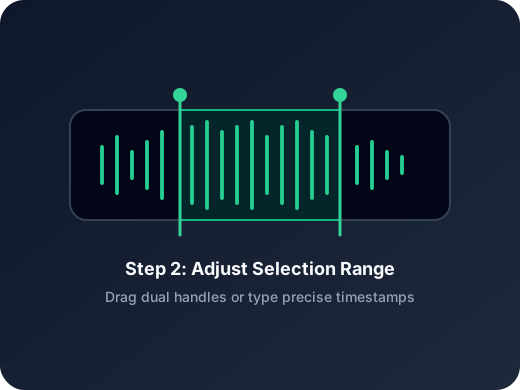
Choose Your Audio Transcription Settings
Select the spoken language or leave it on Auto-detect. Choose your transcription mode, speaker settings, and summary style, then start processing.
STEP 3
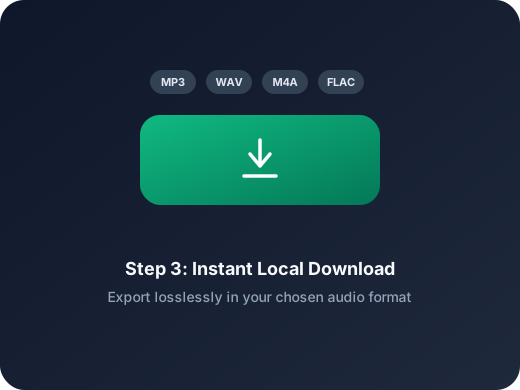
Review and Download Your Transcript
Listen to the recording while reviewing the text. Review your audio transcription, explore the AI tools if needed, and export a document or subtitle file.
MORE TOOLS
More Audio Tools to Prepare Your Files
Get your recording ready for audio transcription. Trim unwanted sections, change formats, or reduce file size before uploading.
Audio Cutter
Keep the part you want to transcribe and remove unwanted sections from your recording.
Audio Converter
Convert your recording to a different audio format before uploading it.
Audio Compressor
Reduce audio file size to make recordings easier to upload and share.
Audio Splitter
Separate vocals and instruments from a music recording, then choose the track you want to work with.
Audio Merge
Combine related audio clips into one recording for audio transcription.
Extract Audio
Extract the audio track from a video and upload it for audio transcription.
USER FEEDBACK
What Users Say About Our Audio Transcriber
From interviews to study notes, explore how audio transcription fits into everyday work.
4.9/5
Turn spoken content into text you can review, organize, and share.
Review with Audio
Follow the recording while checking your transcript and correcting unclear passages.
Export Your Way
Download readable documents or timed subtitles for your next task.
Emma Parker
JournalistSpeaker labels make it easier to follow my interviews. When a quote looks unclear, I can jump to that part of the recording and check the wording before using it in an article.
Daniel Kim
Graduate StudentMy research includes recordings in English and Korean. Being able to choose the language and edit unfamiliar names in the transcript helps me keep my interview notes organized.
Sofia Martinez
Project CoordinatorI use the audio transcriber to review recorded meetings. The AI summary gives me a starting point, then I check the details against the transcript and export a Word document for the team.
Oliver Reed
Video CreatorI can correct the transcript before downloading an SRT file for my editor. Having VTT available too is useful when I prepare captions for a web video.
Aisha Bennett
Podcast ProducerGuests send me MP3 and M4A recordings, so support for both saves an extra conversion step. I review the conversation and export a TXT file to draft episode notes.
Lucas Chen
Language TutorI use transcripts and translations to prepare listening materials. I check the wording against the audio, make corrections, and download a PDF that students can read alongside the recording.
Turn Your Audio into Text Today
Try free audio transcription and make your next recording easier to review, edit, and share.
Choose an audio file at the top of this page to get started.
AUDIO TRANSCRIPTION FAQ
Audio Transcription FAQs
Answers to common questions about using the AudioCutter.me audio transcriber online.
Before You Start
Learn about supported audio formats, transcription settings, speaker labels, accuracy, and document or subtitle exports.
Can I use audio transcription for free?
Yes. Free audio transcription is available within the usage limits shown in the tool. Upload a recording to get started.
Which file formats does the audio transcriber support?
You can upload common audio formats, including MP3, WAV, M4A, AAC, FLAC, and OGG.
What are the file size and recording length limits?
Check the current upload and duration limits in the tool before starting. If your recording exceeds them, trim it or prepare a shorter file.
Can I transcribe recordings in different languages?
Yes. Select the language spoken in your recording or choose Auto-detect. Available languages are listed in the audio transcription settings.
Can the audio transcriber identify different speakers?
Yes. Speaker identification adds labels to help you follow conversations. Review the labels when voices sound similar or people speak at the same time.
How accurate is audio transcription?
Accuracy depends on recording quality, background noise, accents, and overlapping speech. Listen alongside the transcript to check names, numbers, and specialist terms.
How long does it take to go from audio to transcript?
Audio transcription time varies with recording length, selected mode, and service load. You can follow the progress in the tool while your recording is processed.
Can I edit and summarize my transcript?
Yes. Review and edit the text while listening to your recording. You can also generate a summary or mind map, ask AI questions about the content, and translate the transcript.
Can I download documents and subtitles?
Yes. Export TXT, Word, or PDF for documents, or choose SRT and VTT for timed subtitles.
How are my recordings and transcripts handled?
Your recording is uploaded for processing. See the privacy policy for details about file storage, access, and retention.