








Online Audio Speed Changer for MP3, WAV, M4A, AAC, and More
Change audio speed online. Upload MP3, WAV, M4A, AAC, FLAC, OGG, and other audio files, preview the timing, then export a faster or slower version directly in your browser.
Audio Speed Changer Workspace
Audio ProcessingDrop an audio file here or browse
Supports all major audio and video formats without server upload
Why teams choose it
Why this audio speed changer works well for quick timing edits
A lightweight browser workflow for changing pace without opening a full desktop editor.
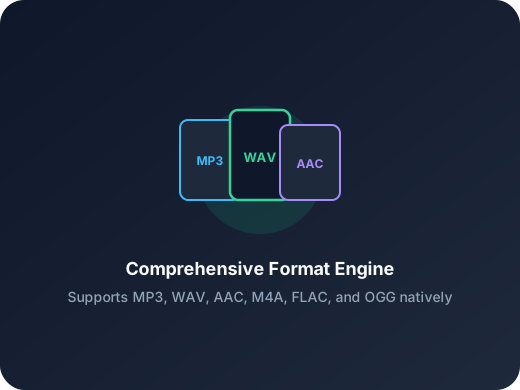
Preview before export
Listen to the result in the same editor before saving, so the final tempo feels right.
Speed up or slow down quickly
Switch between common speed presets such as 0.5x, 0.75x, 1.25x, 1.5x, and 2x in one click.
Keep trimming and exporting together
Trim a section, adjust speed, and export from one shared audio workspace.
Make speech easier to review
Speed up interviews, lectures, and voice notes when you need to get through them faster.
Slow down practice material
Reduce the pace for music practice, pronunciation drills, and detailed listening.
Handle one-off edits fast
Open, test, export, and move on without setting up a larger audio workstation.
Three Steps
How to use the audio speed changer
Change audio speed in three simple steps.
Step 1
Upload audio
Choose an MP3, WAV, M4A, AAC, FLAC, OGG, or another audio file.
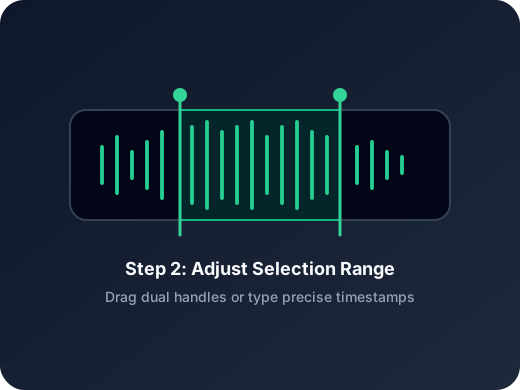
Step 2
Preview and set speed
Open the editor, listen back, and choose the playback speed that fits your task.
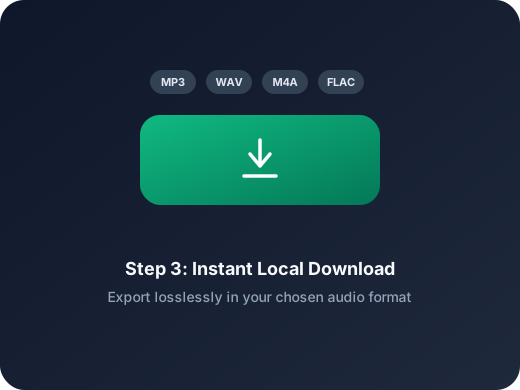
Step 3
Export the new version
Download the faster or slower result directly from your browser.
More Tools
Continue with the next audio task
Extract, merge, or keep trimming with the right tool.
MP3 Cutter
Trim MP3 files with fast in and out point selection for music clips, ringtones, and lightweight edits.
Extract Audio
Pull clean audio from video files for lessons, interviews, recordings, and content repurposing.
Crop Music
Focused on song and soundtrack edits such as chorus cuts, hook extraction, and short-form music snippets.
Audio Compressor
Compress MP3, WAV, M4A, AAC, FLAC, OGG, and other audio files into lighter formats with quality presets.
Audio Splitter
Split songs into stems such as vocals, drums, bass, and other parts, then continue editing the separated tracks in one workspace.
Audio Merge
Join multiple audio tracks into one ordered file for chapters, spoken sections, and batch cleanup workflows.
User feedback
Why people open this audio speed changer
Feedback from users who want simple timing changes without extra setup.
4.9/5
Editors, creators, students, and podcasters consistently rate the workflow as fast and clear.
Zero setup
No account wall, no software install, no learning curve.
Quick export
Upload, trim, preview, and save in one short workflow.
Mia Foster
StudentI use it to speed up lecture recordings before exporting a lighter review copy.
Daniel Park
Language LearnerSlowing down short speaking clips helps me catch difficult words more clearly.
Rachel Owens
Podcast AssistantIt is quick for one-off edits when I only need a new listening speed, not a full DAW.
Leo Martin
Music TeacherStudents can export slower practice versions without getting lost in advanced settings.
Ready to change your audio speed?
Upload a file, choose the pace you want, and export the updated version in your browser.
If you only need a tempo change, keep the full selection and adjust the speed control directly.
Support
Audio speed changer FAQ
Common questions about changing audio playback speed online.
Frequently asked questions
This covers supported input formats, speed changes, trimming, and browser usage.
Which audio files can I open here?
You can upload MP3, WAV, M4A, AAC, FLAC, OGG, WMA, and other common audio files.
Can I speed up and slow down audio?
Yes. The editor includes common speed options for both faster and slower playback.
Will the exported file keep the new speed?
Yes. The export applies the selected speed so the downloaded file matches the preview.
Can I trim the audio before exporting?
Yes. You can keep the full audio or export only a selected section after changing the speed.
Does it work on mobile browsers?
Yes. The page and editor are designed to work on mainstream desktop and mobile browsers.
Do I need to install software?
No. The whole workflow runs directly in your browser.