








MP3 Cutter – Edit Audio Instantly
Edit your MP3 files online quickly and precisely. Cut, trim, or extract clips from MP3 audio without losing quality. Free, secure, and browser-based.
MP3 Cutter Workspace
Format CuttingDrop an audio file here or browse
Supports all major audio and video formats without server upload
Why teams choose it
Fast and Reliable MP3 Cutting with MP3 Cutter
Designed for efficiency, precision, and professional-quality output.
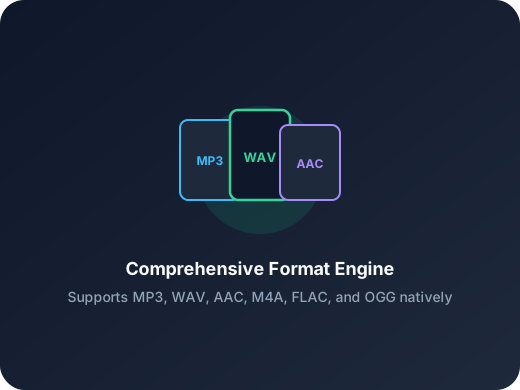
Fast MP3 Editing
Upload your MP3 and remove unwanted sections immediately. Perfect for music samples, interviews, podcasts, or sound effects.
Interactive Waveform Interface
See your audio waveform in detail and select the portion you want to keep. Adjust start and end points visually for accurate results.
High-Quality MP3 Output
Maintain the original audio fidelity. The MP3 cutter exports files without additional compression, ideal for professional and personal projects.
Fast content cleanup
Remove pauses, bad takes, and empty intros before publishing a podcast, lesson, or voice memo.
Ready for ringtone workflows
Cut the exact chorus or hook you want, then export in the format that fits your phone.
Simple enough for one-off tasks
No editor learning curve. Open a file, set in and out points, export, and move on.
Three-step workflow
How to Use MP3 Cutter to Trim Audio
Three easy steps to get your MP3 clip.
Step 1
Upload Your MP3
Drag and drop or browse your device to select an MP3 file. The tool supports large and high-quality files.
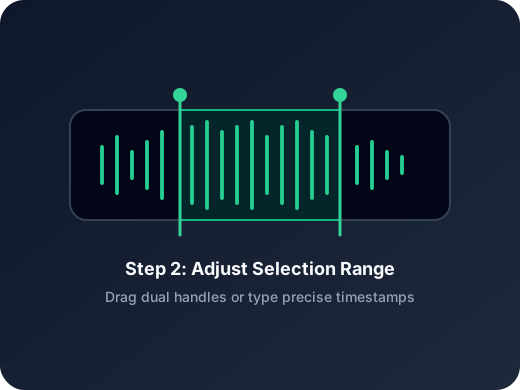
Step 2
Mark the Section
Use the visual timeline to highlight the exact segment you need. Preview your selection to ensure precision.
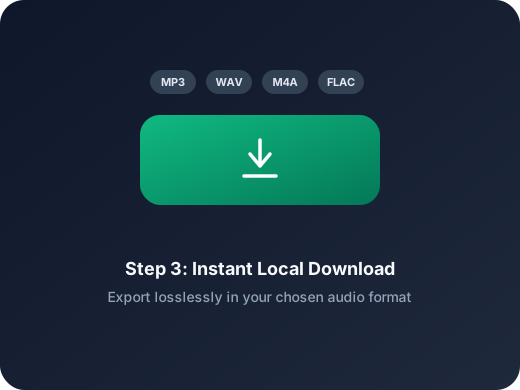
Step 3
Download the Clip
Export your trimmed MP3 instantly. No account or extra configuration needed.
More Tools
Continue with the next audio task
Extract, merge, or keep trimming with the right tool.
Audio Trimmer
Trim MP3, WAV, AAC, M4A, FLAC, and other audio files with a visual waveform editor in your browser.
WAV Cutter
Cut lossless WAV files quickly for recordings, interviews, and higher-fidelity source material.
Extract Audio
Pull clean audio from video files for lessons, interviews, recordings, and content repurposing.
Audio Converter
Convert video to audio or switch audio formats quickly with one shared export workflow.
Audio Compressor
Compress MP3, WAV, M4A, AAC, FLAC, OGG, and other audio files into lighter formats with quality presets.
Audio Speed Changer
Speed up or slow down audio online, preview the timing, and export the new version from one editor.
Audio Splitter
Split songs into stems such as vocals, drums, bass, and other parts, then continue editing the separated tracks in one workspace.
Audio Merge
Join multiple audio tracks into one ordered file for chapters, spoken sections, and batch cleanup workflows.
User feedback
User Reviews on MP3 Cutter
Hear from people who rely on fast and precise MP3 editing.
4.9/5
Editors, creators, students, and podcasters consistently rate the workflow as fast and clear.
Zero setup
No account wall, no software install, no learning curve.
Quick export
Upload, trim, preview, and save in one short workflow.
Emma Lee
Podcast ProducerEditing MP3 files has never been easier. This cutter helps me remove pauses and mistakes quickly while keeping the audio clean.
Liam Chen
Music StudentI extract sections of songs for practice. MP3 Cutter is fast and I don’t need to install any software, which saves a lot of time.
Olivia Wang
Game Audio DesignerI often need short sound effects from long recordings. This MP3 cutter makes it simple to isolate what I need without extra settings.
Ethan Smith
Content CreatorRecording voiceovers often leaves extra noise at the start and end. With MP3 Cutter, I can clean it up in seconds and download instantly.
Start Using MP3 Cutter Now
Trim MP3 files quickly and accurately. Free, secure, and browser-friendly.
Upload a file, jump into the editor, and export the exact section you need.
Support
MP3 Cutter FAQ
Everything about cutting MP3 files online.
Common concerns covered
Pricing, supported formats, safety, mobile compatibility, and export behavior are all addressed here.
Is MP3 Cutter free to use?
Yes. You can trim MP3 files without any cost or registration.
Will my audio quality be affected?
No. MP3 Cutter keeps the original quality intact without unnecessary re-encoding.
Can I select only part of the MP3?
Absolutely. You can precisely mark and export any segment from your MP3 file.
Are my files saved on your servers?
Files are handled securely and automatically removed after editing to protect your privacy.
Does it work on mobile devices?
Yes. MP3 Cutter works smoothly on modern smartphones and tablets as well as desktops.
Is MP3 Cutter suitable for professional audio work?
Yes. It’s widely used for podcasts, voiceovers, music editing, and other professional tasks.