








Vocal Remover Free Online
100% free vocal remover with unlimited uses and powerful editing. Quickly separate vocal and instrumental tracks, then edit and mix them your way.
Vocal Remover Workspace
AI ToolsDrop an audio file here or browse
Supports all major audio and video formats without server upload
Why teams choose it
Why Choose AudioCutter.me as Your Online Vocal Remover?
This free vocal remover combines AI-powered separation with a flexible multitrack editor, so you can separate a song and continue editing both tracks without switching tools.
AI-Powered Vocal Remover
An AI model analyzes the audio and separates the lead vocal from the accompanying instrumental, giving you two editable tracks from one upload.
Fast Vocal and Instrumental Separation
Upload one song and let the separation run automatically. When processing finishes, the vocal and instrumental tracks open directly in the editor.

Flexible Browser-Based Track Editing
Preview, trim, reposition, mute, or solo either track. Add your own audio, arrange the timeline, and prepare a custom mix without installing software.
Karaoke and Singing Practice
Use the instrumental track as backing audio for rehearsals, covers, karaoke, or sing-along sessions.
Vocal Isolation and Study
Listen to the vocal track on its own for transcription, melody study, pronunciation practice, or performance review.
Remixes and Content Edits
Rearrange the separated tracks, add new audio, and create quick remix drafts or short-form content edits.
Three-Step Workflow
How to Remove Vocals from a Song Online for Free
Use the free vocal remover to upload one song, create two separate tracks with AI, then edit and export the result from the same browser workspace.
Step 1
Upload and Separate Your Song
Choose an audio file up to 1 hour long. The AI vocal remover processes it and returns separate vocal and instrumental tracks.
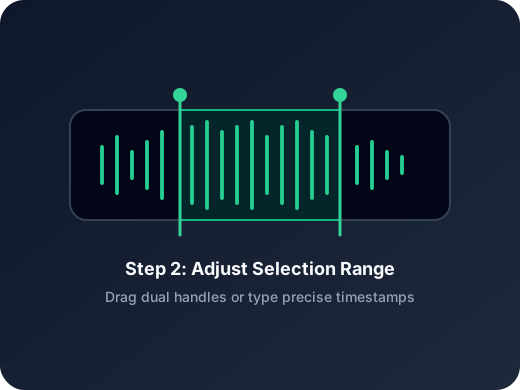
Step 2
Edit and Mix Your Tracks
Preview both tracks, trim or reposition them, mute or solo either one, and add your own audio to build the arrangement you want.
Step 3
Export Your Tracks or Mix
Download the vocal or instrumental track individually, or export the current arrangement as a single mixed audio file.
More Tools
Continue with the next audio task
Extract, merge, or keep trimming with the right tool.
Audio Splitter
Split songs into stems such as vocals, drums, bass, and other parts, then continue editing the separated tracks in one workspace.
Splitter AI
Use AI to separate vocals, drums, bass, and other supported music stems.
MP3 Cutter
Trim MP3 files with fast in and out point selection for music clips, ringtones, and lightweight edits.
WAV Cutter
Cut lossless WAV files quickly for recordings, interviews, and higher-fidelity source material.
Extract Audio
Pull clean audio from video files for lessons, interviews, recordings, and content repurposing.
Audio Converter
Convert video to audio or switch audio formats quickly with one shared export workflow.
Audio Merge
Join multiple audio tracks into one ordered file for chapters, spoken sections, and batch cleanup workflows.
User Feedback
Why Users Choose This Free Vocal Remover
Creators use AudioCutter.me when they want fast two-track separation and enough editing control to finish the job in one browser workflow.
4.9/5
Editors, creators, students, and podcasters consistently rate the workflow as fast and clear.
Zero setup
No account wall, no software install, no learning curve.
Quick export
Upload, trim, preview, and save in one short workflow.
Maya Collins
Singer and Vocal CoachI can prepare an instrumental for rehearsal and trim it on the same page, so I do not need to open another audio editor.
Ethan Lee
Video CreatorThe vocal and instrumental tracks open directly in the editor, which makes quick music and background-audio adjustments much easier.
Sofia Ramirez
Music StudentSoloing the vocal track helps me study each phrase, while the instrumental track gives me an immediate backing track for practice.
Daniel Reed
Independent CreatorI like being able to add another track, rearrange the audio, and export a mix without installing desktop software.
Ready to Remove Vocals from Your Song for Free?
Upload a song, let AI separate the vocal and instrumental tracks, and continue editing them in your browser.
No signup required. Use it as many times as you need; each audio file can be up to 1 hour long.
Support
Free Vocal Remover FAQs
Common questions about using this free AI vocal remover to separate, edit, and export vocal and instrumental tracks online.
What You Can Do with Vocal Remover
Separate one song into vocal and instrumental tracks, edit them in your browser, and download either track or export a new mix.
Is AudioCutter.me Vocal Remover 100% free with unlimited uses?
Yes. AudioCutter.me Vocal Remover is free to use and does not place a fixed limit on how many times you can process audio. Each uploaded file can be up to 1 hour long.
What happens when I remove vocals from a song?
The AI does not simply silence the vocal range. It analyzes the song and creates two separate results: a vocal track and an instrumental track. You can preview, edit, and download either track.
How does AI separate vocals and instrumentals?
The AI model analyzes patterns in the audio to estimate which sounds belong to the vocal performance and which belong to the instrumental accompaniment. It then returns them as separate tracks.
Can I edit the separated tracks in my browser?
Yes. You can preview, trim, reposition, mute, or solo the vocal and instrumental tracks directly in the multitrack editor without installing software.
Can I add my own audio to the mix?
Yes. After separation, you can add another audio file, arrange it alongside the vocal and instrumental tracks, and export the resulting mix.
How long can an uploaded audio file be?
Vocal Remover currently supports audio files up to 1 hour long. If your file is longer, trim it before starting the separation.
Why might some vocals remain in the instrumental track?
AI separation may not be perfect for every song. Layered harmonies, strong effects, background vocals, or instruments that overlap with the vocal range can make complete separation more difficult.